See below for instructions on configuring the PKI Hub hostname.
After running the clusterctl install or clusterctl node add commands you cannot change the IP address or hostname of a node.
To configure the hostname
- Log in to the PKI Hub machine locally, as the
sysadminuser. Run the
nmtuitool withsudopermissions.sudo nmtui- Type the password of the
sysadminuser. - Select Set system hostname.
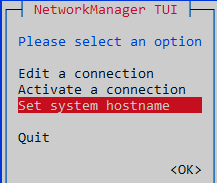
- Press Enter to display the Set Hostname dialog.
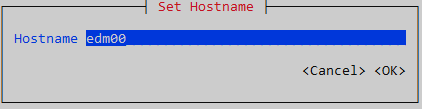
- In the Hostname field, type an RFC1123 compliant hostname – that is:
- Must consist of lowercase alphanumeric characters, '-' or '.'
- Must start and end with an alphanumeric character.
- Select <OK> and press Enter.
- Press Enter to confirm the hostname change.
- Select Quit and press Enter.
- Exit the session.
exit - Log in again.