PKI DB Appliance cluster nodes support the following status.
Status | Description |
|---|---|
Maintenance | Going through rolling upgrade. |
Offline | Unreachable and unavailable. |
Online | Reachable and available. |
Unavailable | Server-to-server connection works, but the KMIP Database is unavailable (port 5432). |
Unreachable | Unable to connect to the server (port 8443). |
To check the status of the PKI DB Appliance cluster nodes
Open a web browser in the URL obtained when Running PKI DB Appliance.
Do not omit the "https" prefix of the URL.
- Navigate to CLUSTER > Servers.
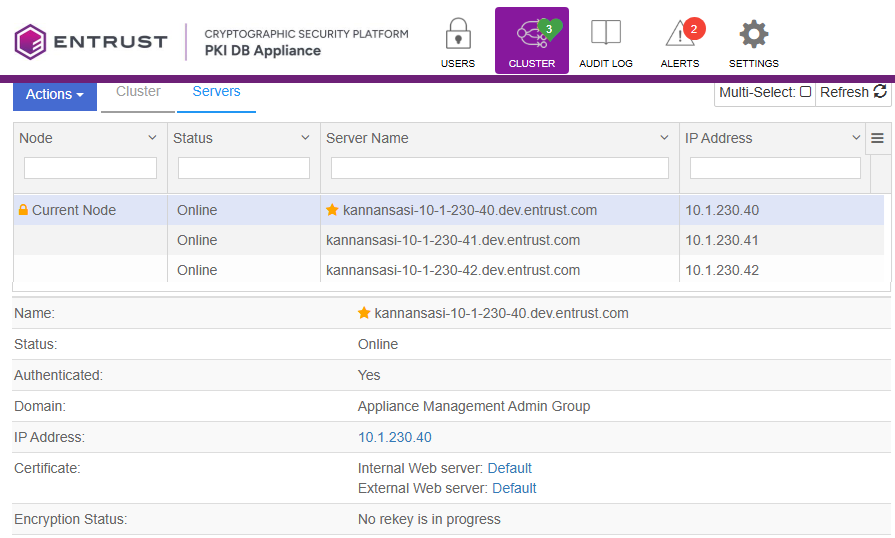
- Select a node in the server lists.
The starred node is the writer node; all the rest are reader nodes.
- In the bottom pane, check node details such as the node status.