After you create it, complete the new PKI Hub virtual machine as follows.
To configure a PKI Hub virtual machine on Hyper-V
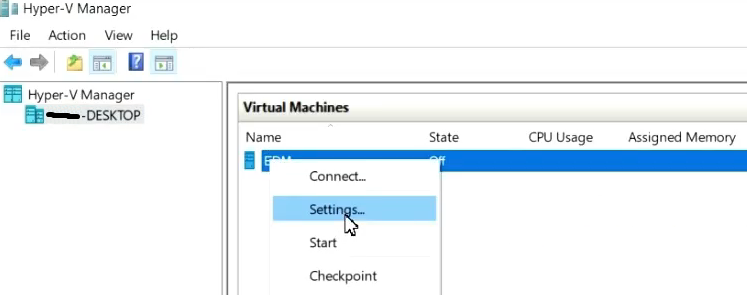
- Open the Hyper-V Manager console.
- Right-click the new virtual machine name and select Settings.
- In the settings dialog, select Processors under Hardware.
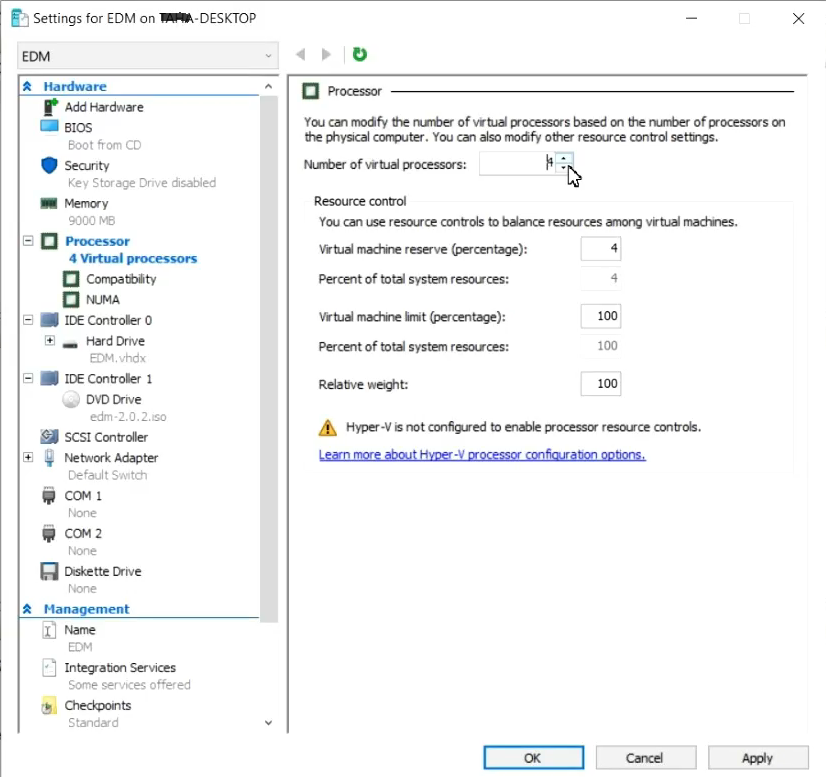
- In the Number of virtual processors field, select the number of cores stated in Machine requirements.
- Click Apply.