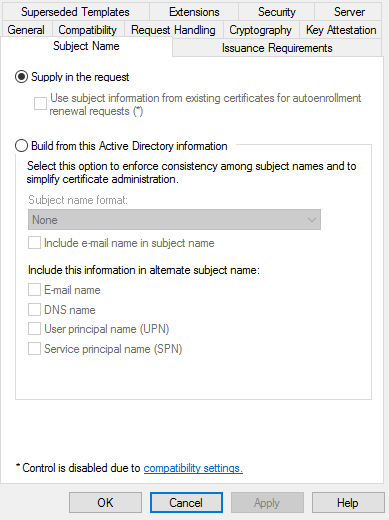
In all managed Microsoft CA templates for issuing entity certificates, ensure the certificate request supplies the Subject Name.
To enable supply in the request in a template
- Log in to the Microsoft CA server machine.
- Press Win + R to open the Run dialog.
- Type "mmc” and press Enter to open Microsoft Management Console.
- Go to Certificate Authority.
- Right-click Certificate Templates and select Manage.
- Right-click the template and select Properties.
- In the Subject Name tab, select the Supply in the request radio button.