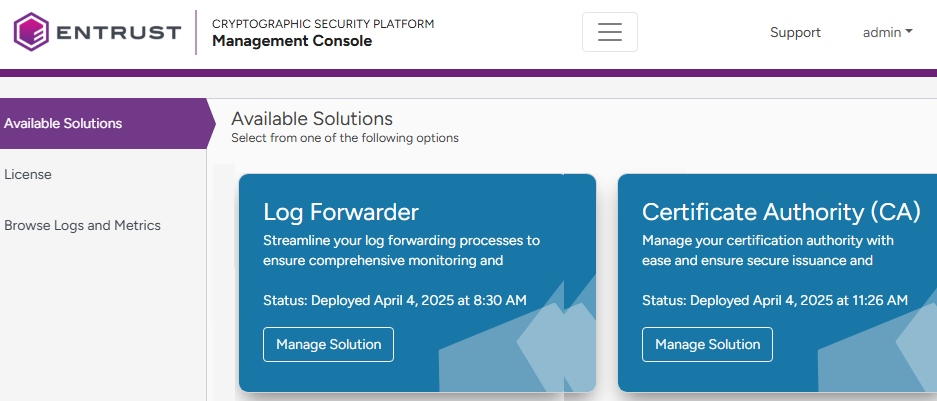
PKI Hub provides the Log Forwarder solution for forwarding logs to a SIEM (Security Information and Event Management) server.
See Backing up and restoring solutions for the Import Configuration and Export Configuration options.
To configure and deploy the Log Forwarder solution
Open the following URL in a Web browser.
https://<machine>/management-consoleWhere
<machine>is the IP address or domain name of the machine hosting PKI Hub.- Log in to the Management Console as a user belonging to a role with Log Forwarder management permissions – for example, the initial
adminadministrator user.See Starting up the Management Console for how to manage users and roles.
- In the content pane, click Manage Solution under Entrust Log Forwarder.
Toggle Enable Advanced Configuration to configure the full set of configuration parameters supported by the solution.
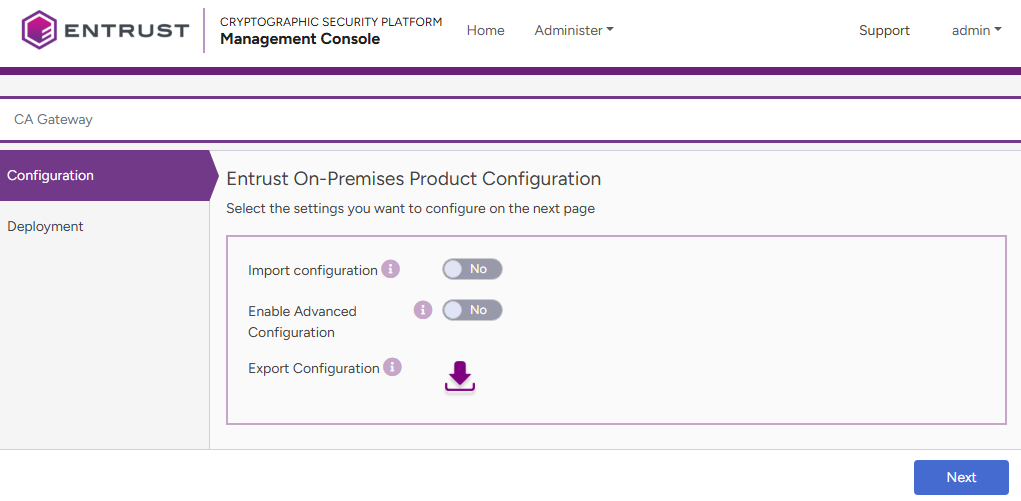
- Click Next.
- Configure the solution settings described in the following sections.
- Click Validate to validate the configured settings.
- Correct any detected configuration errors until Validate displays no warnings.
- Click Submit and wait while PKI Hub uploads the configuration and any attached file, such as a P12 file with authentication credentials.
- Click Deploy.