Once the bucket and its associated KeyID have been created, you can add, extract and delete files to and from the bucket from any VM within the Cloud VM Set that owns the bucket. Let's add some files:
# ls
file1  file2  file3
# hcs3 add hcs-aws-bucket file1
# hcs3 add hcs-aws-bucket file2
# hcs3 add hcs-aws-bucket file3
# tar cvfz files.tgz *
file1
file2
file3
# hcs3 add hcs-aws-bucket files.tgz
And from either the same VM or another VM we can view which files are in the bucket:
# hcs3 list hcs-aws-bucket
file1
file2
file3
files.tgz
The files are also visible from within the AWS console:
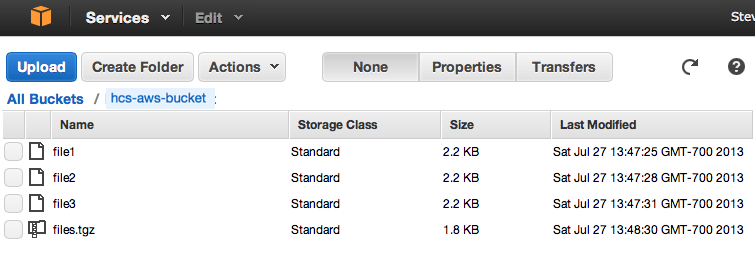
To pull out a file and decrypt it:
# hcs3 get hcs-aws-bucket file2
and to remove a file:
# hcs3 rm hcs-aws-bucket file3
# hcs3 list hcs-aws-bucket
file1
file2
files.tgz
The files added with hcs3 add are encrypted with the default KeyID for that bucket. However, the user can choose to encrypt the files with a custom KeyID. The custom KeyID can be created with a user-selected cipher using hcl keyid -c. See the man page for the hcl command for details.
The user can specify the custom KeyID with an entry like this:
# hcs3 add -k my-own-key-for-s3 hcs-aws-bucket file4