To enable PKCS #12 enrollment with client applications, keys must be server‑generated—that is, generated by the CA. On EJBCA, enabling CA‑side key pair generation requires creating and selecting the following profiles.
Certificate profile for CA-side key pair generation
Create a certificate profile that enables CA-side key pair generation.
To create a certificate profile that enables CA-side key pair generation
- In the EJBCA user interface, navigate to CA Functions > Certificate Profiles.
- Create a certificate profile or clone an existing one.
- Ensure the profile meets technical constraints of the certificate, such as algorithms or key usage.
- Set the following values.
- Type: End Entity.
- Key Usage: Digital Signature and Key Encipherment.
- Extended Key Usage: Server Authentication (for server certificates).
End entity profile for CA-side key pair generation
Create an end entity profile that enables CA-side key pair generation.
To create an end entity profile that enables CA-side key pair generation
- In the EJBCA user interface, navigate to RA Functions > End Entity Profiles.
- Create a new end entity profile or edit an existing one.
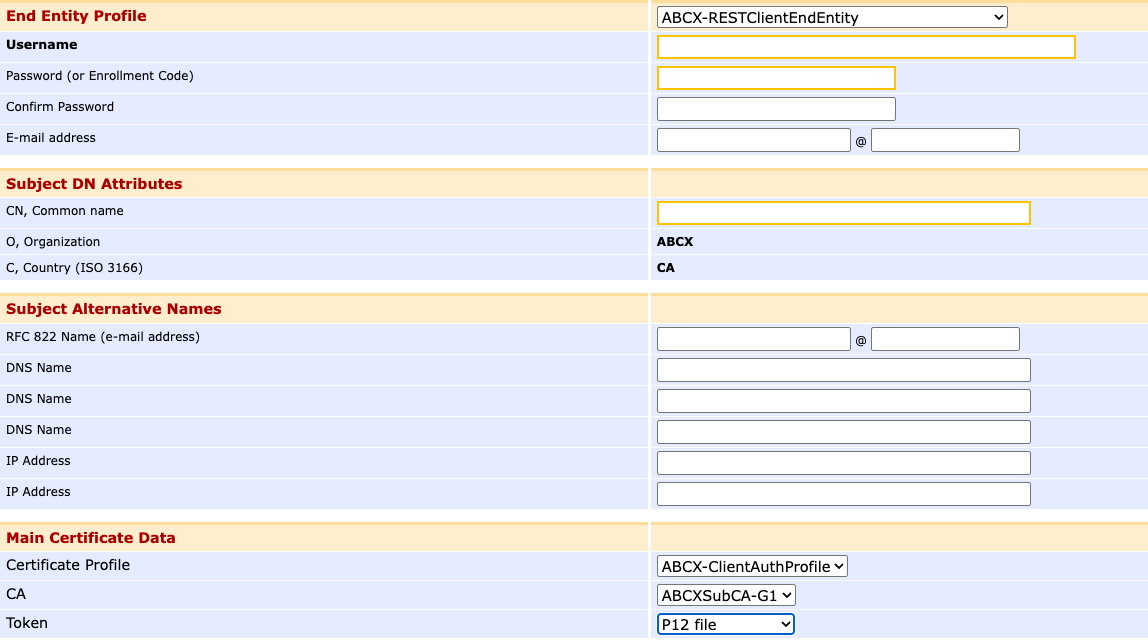
- In the Main Certificate Data section, select the following values.
- Certificate profile: select the Certificate profile for CA-side key pair generation.
- Token: select P12 file or PEM file.