As explained in Creating CAGW credentials, CA Gateway credentials expire one year after issuance. See below for renewing a credential before this date.
To renew a CAGW credential
Open the following URL in a Web browser.
https://<hostname>/v2/Where
<hostname>is the IP address or domain name selected in General.- Log in to the Management Console as the user described in Creating partition administrators.
- Select the partition on which to manage certificate authorities and certificates.
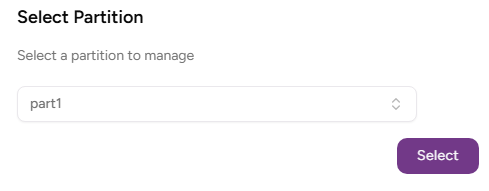
- Click Select.
- Click User Management in the sidebar and select the CAGW Credentials tab.
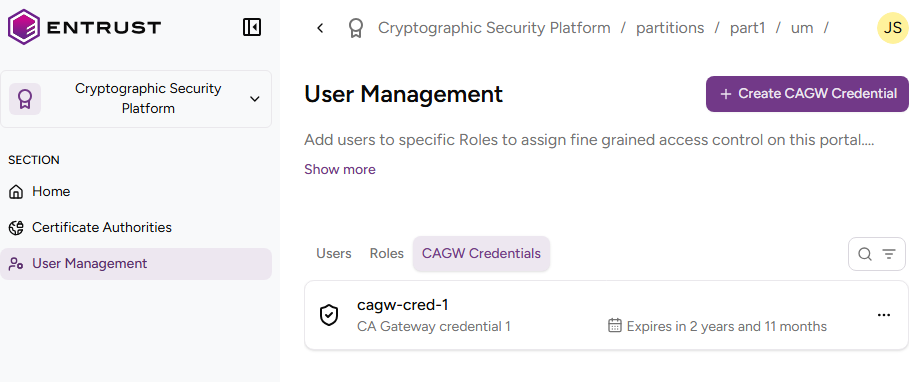
- Click the three buttons to the right of a credential and select Renew CAGW credential.
- Review the credential details and click Renew.
- Check the expiration date of the renewed credential (one year after the renewal date).
Copy the password displayed in the credential details page.
As indicated in the warning message when leaving this page, you won’t be able to copy the credential password again. If you don’t copy this password now, you will be forced to generate a new credential.