See below for instructions on removing a node from a PKI DB Appliance cluster.
See Creating a PKI DB Appliance cluster for instructions on adding a node to the cluster.
To remove a PKI DB Appliance node
Open a web browser in the URL obtained when Running PKI DB Appliance.
Do not omit the "https" prefix of the URL.
- Navigate to CLUSTER > Servers.
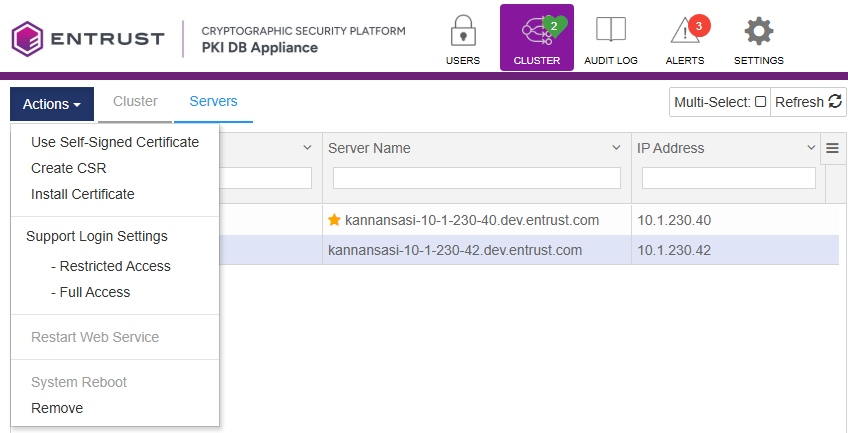
- Select the node you want to remove.
- Click Actions > Remove.
- Click Proceed on the confirmation dialog.