See below for instructions on restoring PKI DB Appliance data for both single-node and cluster installations.
To restore PKI DB Appliance data
Open a web browser at the URL obtained when Running PKI DB Appliance.
Do not omit the "https" prefix of the URL.
- Select Actions > Restore.
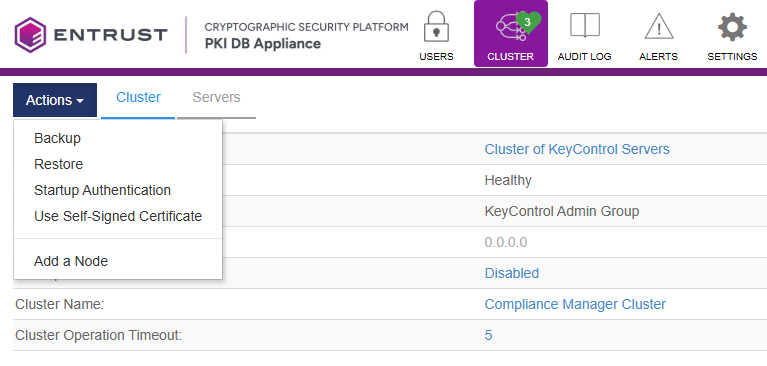
- Click Continue on the confirmation dialog.
- Click Browse and select the backup file generated when Backing up PKI DB Appliance data.

- Click Verify Image, then wait for the PKI DB Appliance to verify the image.
- Click Restore Image.
- Click Proceed on the confirmation dialog.