Click the Filter Options button to open the available filtering options.
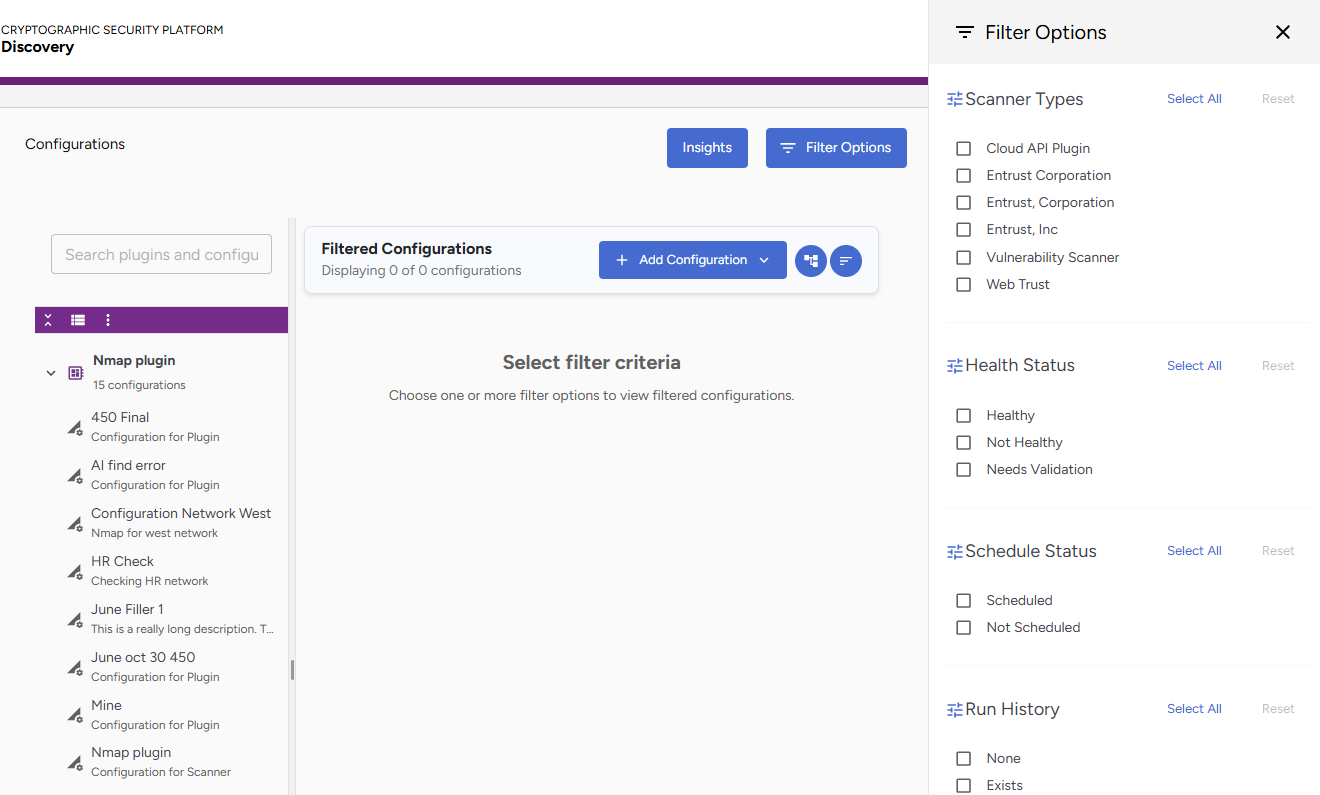
The following filters are available:
After running a filter, you can perform actions such as:
- Check the active filter count on the Filter Options button.
- Click Clear All Filters inside the drawer to reset all applied filters.
Scanner Types
This filter allows you to filter by scanner type.
- Third-party scanners are identified by the plugin manufacturer's name.
- Built-in scanner plugins are identified by their category. For example, Cloud API, Vulnerability Scanner, Web Trust, etc.
Health Status
This filter allows you to filter by health status.
Status | Description |
|---|---|
Healthy | Configurations passing connection tests |
Invalid | Configurations with connection problems |
Needs Validation | Configurations not yet tested |
Schedule Status
This filter allows you to filter by schedule status.
Status | Description |
|---|---|
Scheduled | Configurations with active schedules |
Not Scheduled | No associated schedule |
Run History
This filter allows you to filter by run history:
Status | Description |
|---|---|
Scheduled | Configurations with active schedules |
Not Scheduled | No associated schedule |